Free bookmark manager

Everything you find online,
finally arranged the way you think.

Linkcroft is the bookmark manager that saves the page, not just its address. Save a house and it keeps the asking price, the address, the living area, the rooms, the energy label and the year built. A car keeps its year, mileage, fuel and engine power; a recipe keeps its cooking time and servings.

You type nothing. Then lay it all out the way you were already thinking about it: houses from six different sites side by side, the parts for the boat refit in one list, your recipes and your everyday links right beside them.

Add Linkcroft to Chrome See how it works

Linkcroft is free while we’re still building it.

You save links with a Chrome extension, so it works in Chrome and in every browser built on Chrome — Edge, Brave, Opera, Vivaldi and Arc.
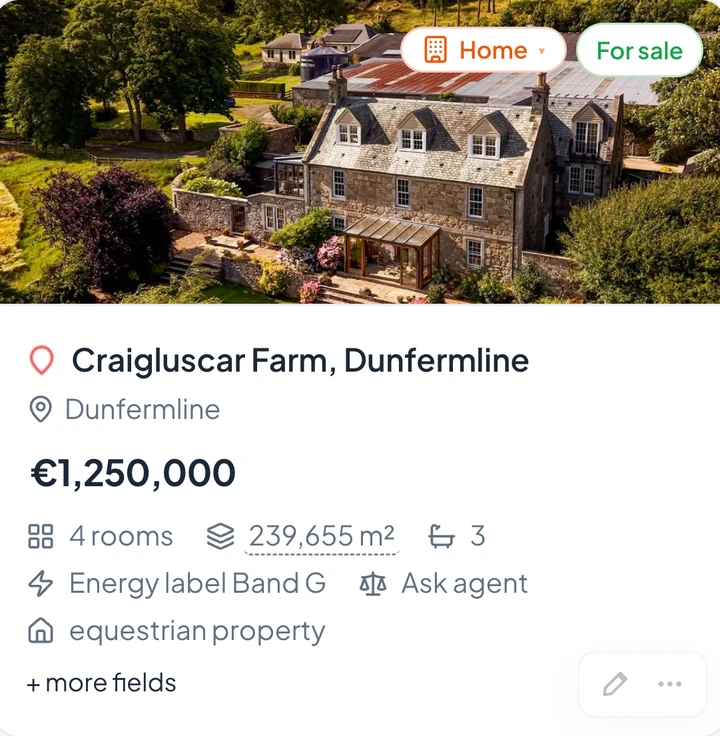
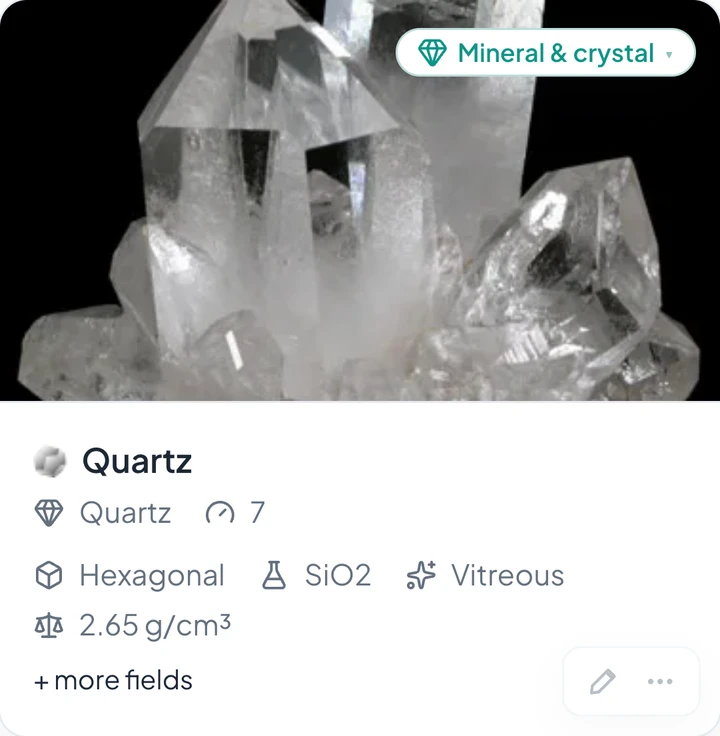
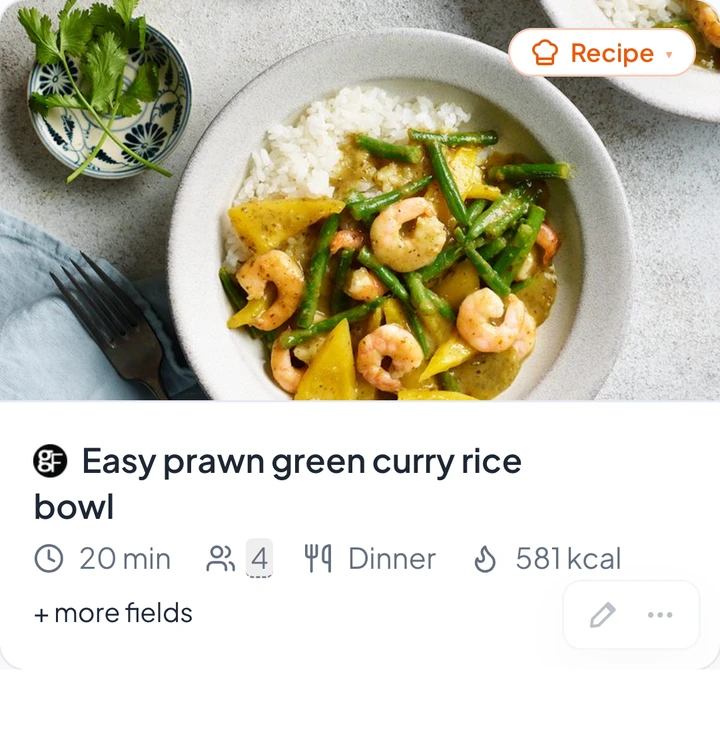
A house saved in Linkcroft from a UK listing site: a Scottish farm with its photo, asking price, rooms, plot size, energy label and moreA quartz crystal saved in Linkcroft from a mineral shop, with its photo, hardness, crystal system, chemical formula, lustre and densityA recipe saved in Linkcroft from a recipe site: a prawn green curry with its photo, cooking time, servings, course and calories

A house, a recipe, a LEGO set: see every detail Linkcroft saves with the link.

Linkcroft recognises what kind of page you are saving and saves every detail that belongs to it.

A house listing, a recipe and a LEGO set have nothing in common, so each one is saved with its own set of details. Choose what you are saving and see which details you get.

Compare houses side by side, even when they come from different sites.

Save a house from any listing site and Linkcroft saves the asking price, the address, the living area, the rooms and bedrooms, the plot size, the energy label, the year built and more, even how far it is from where you live. Every house shows the same details in the same place, so you can compare them whichever site they came from. No more house-hunting spreadsheet.

Nobody typed these details in. Linkcroft read them from the page when the link was saved.

Each saved with its own details
Houses and apartments · Neighbourhoods · Holiday lets
A house saved in Linkcroft: a Scottish farm with its photo, asking price, rooms, plot size, energy label and more

Whatever you save, Linkcroft has the right details for it. Houses, cars and boats. Furniture, clothes and sneakers. Recipes, films, books and board games. Wine, whisky and coffee. Plants, jobs, courses and restaurants.

A wine is saved with its grape, vintage, region and tasting notes, a job with its employer, salary, hours and closing date. A page that fits none of these is still saved as a clean, readable link, so a simple link can stay simple. Not covered yet? We add it. Tell us what is missing →

Stop keeping tabs open. One click saves the page and every detail on it to your start page.

A tab stays open because closing it means losing what was on the page: the house, the boat, the asking price. Save the page with Linkcroft instead. Add the Linkcroft extension to Chrome once; from then on, one click on the Linkcroft button saves the page you are on, with its photo, its price and every other detail it has.

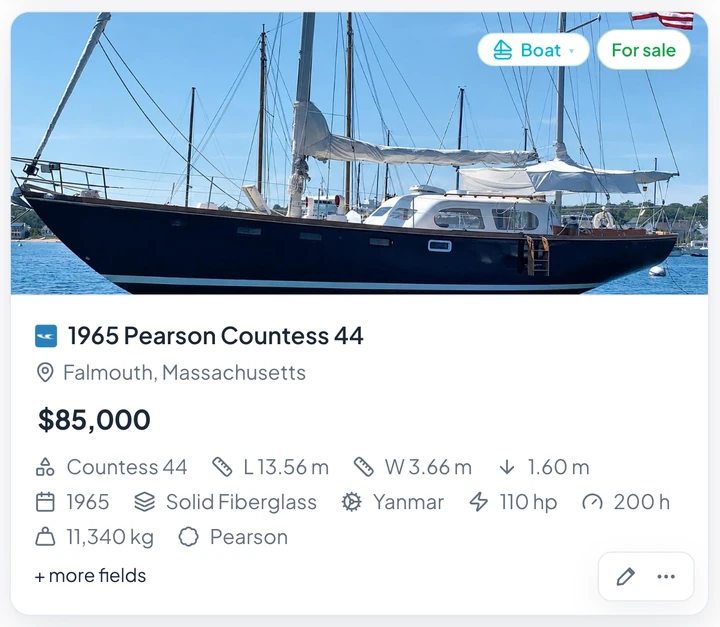
For a boat that is the length, the engine, the engine hours, the year built and more. You type nothing. Then close the tab: all of it is on your start page, next to the rest of your bookmarks.

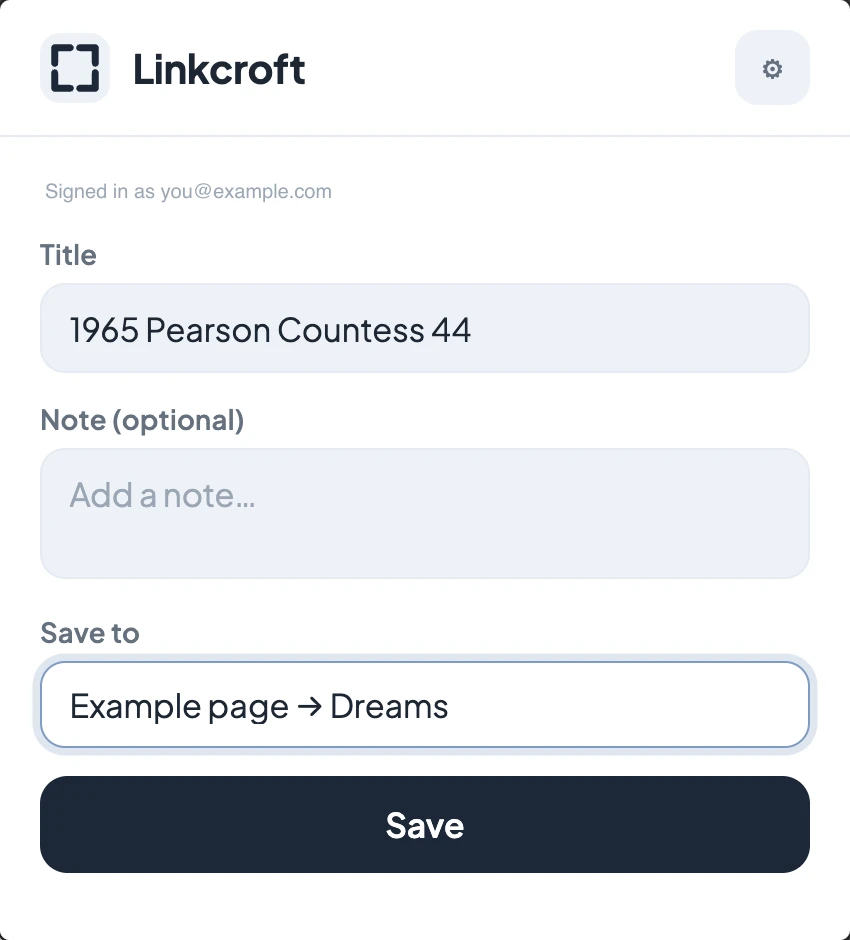
The moment you saveThe Linkcroft extension popup saving the page of a 1965 sailing yacht
A moment later, on your start pageThe same yacht on a Linkcroft start page with its photo, asking price, length, width, draft, engine, engine hours, year built and more

Linkcroft files every link you save in the right list, and tells you why.

A new link first arrives in your Linkcroft inbox, the place where new links wait until you have filed them. The list it belongs in has already been picked, and you are told why: your last four links from that site went to your list “Home hunt”.

One click puts the link there. One click puts it in a different list instead. Or leave it in the inbox until you have made up your mind: Linkcroft picks the list, you decide where the link lands.

Inbox (3)Suggestions ready — 3 of 3
Detached villa, Utrecht
a listing site
Home hunt → Shortlist96%
Place here
Fiat 500, 2019
a marketplace
Cars & boats → Cars91%
Place here
Macallan 18, Sherry Oak
a specialist shop
Wishlist → Whisky84%
Place here
No suggestion for a link? Then it stays in your inbox until you file it yourself.

Houses, boats and recipes from any site, side by side on one start page.

Save a house from a listing site, a boat from a yacht broker and a recipe from a food blog, and they sit next to each other on your Linkcroft start page, each with every detail its page had to offer: the asking price, rooms and plot size of the house, the length, engine and engine hours of the boat, the cooking time and servings of the recipe.

Your everyday links, the ones that need no details at all, sit right beside them.

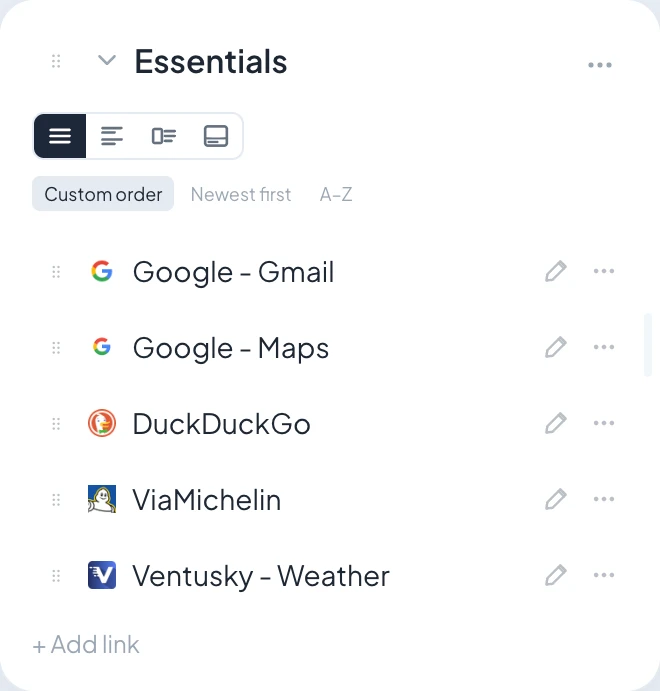
A plain list of everyday links on a Linkcroft start page, saved without any details
Your everyday links
A boat saved in Linkcroft from a yacht broker: a 1965 sailing yacht with its photo, price, length, width, draft, engine, engine hours and more
Saved from a yacht broker
A house saved in Linkcroft from a UK listing site: a Scottish farm with its photo, asking price, rooms, plot size, energy label and more
Saved from a UK listing site
A recipe saved in Linkcroft from a recipe site: a prawn green curry with its photo, cooking time, servings, course and calories
Saved from a recipe site

It works the other way round too: one kind of page from many sites.

Save cars from ten different sites — dealers, marketplaces, classifieds — and every car shows its make, model, year, mileage, fuel, power and price in the same place, whichever site it came from. That is what makes it possible to compare used cars side by side.

Never reopen a bookmark just to check the price, the size or the year.

A browser bookmark keeps a title and a web address, and nothing else. Linkcroft is the bookmark manager that also keeps what the page said.

The asking price, the living area, the rooms and the year built of a house. The mileage, the fuel and the engine power of a car. The cuisine, the price range and the rating of a restaurant. Whatever details the page has, you see them on your start page without opening the link.

In your browser
https://www.example-agent.com/listing?id=48122&ref=search
→
In Linkcroft
Canal-side townhouse, Leiden
€545,000
145 m²5 rooms3 bedroomsbuilt in 199412 km from home

One of those details was never on the estate agent’s page: how far the house is from where you live. Fill in your own address once, in your account, and your saved houses show the distance right next to the asking price and the floor area, so you can see which ones are close by and which mean an hour in the car — without opening a single link.

Linkcroft decides by itself whether a page shows a house, a car or a boat. If it ever takes a boat for a car, change it yourself and the details of a boat appear instead.

Your bookmarks keep getting more complete, even the ones you saved months ago.

The first time anyone saves a page from a site that is new to Linkcroft, it works out where that site puts the price, the address, the living area, the year and every other detail. From then on, everyone who saves from that site gets all of those details straight away.

And when Linkcroft learns to find a detail it missed before, the bookmarks you saved earlier are updated with it. It happens by itself.

Show your boats as big photos and your everyday links as a tidy list.

Your start page is made of widgets: boxes that each hold one list of links, such as “Boats”, “Recipes to try” or “Work”.

You choose per widget how its links are shown: as photo tiles, as compact rows, with a description under every title, or with every saved detail.

A Linkcroft widget in the Compact view: one short row per link, with its icon and title
Compact
A Linkcroft widget in the With description view: every title with a line of description under it
With description
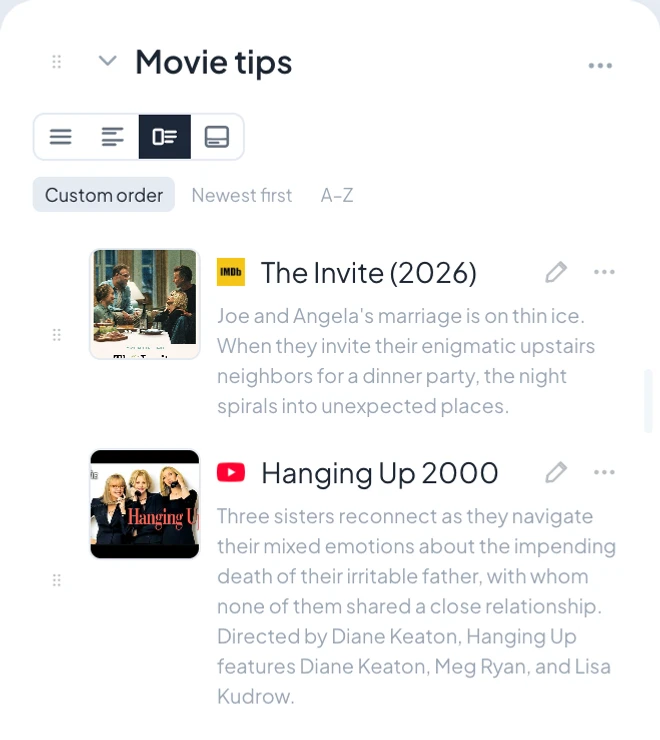
A Linkcroft widget in the Info view: every link with a small photo, its title and its full description
Info
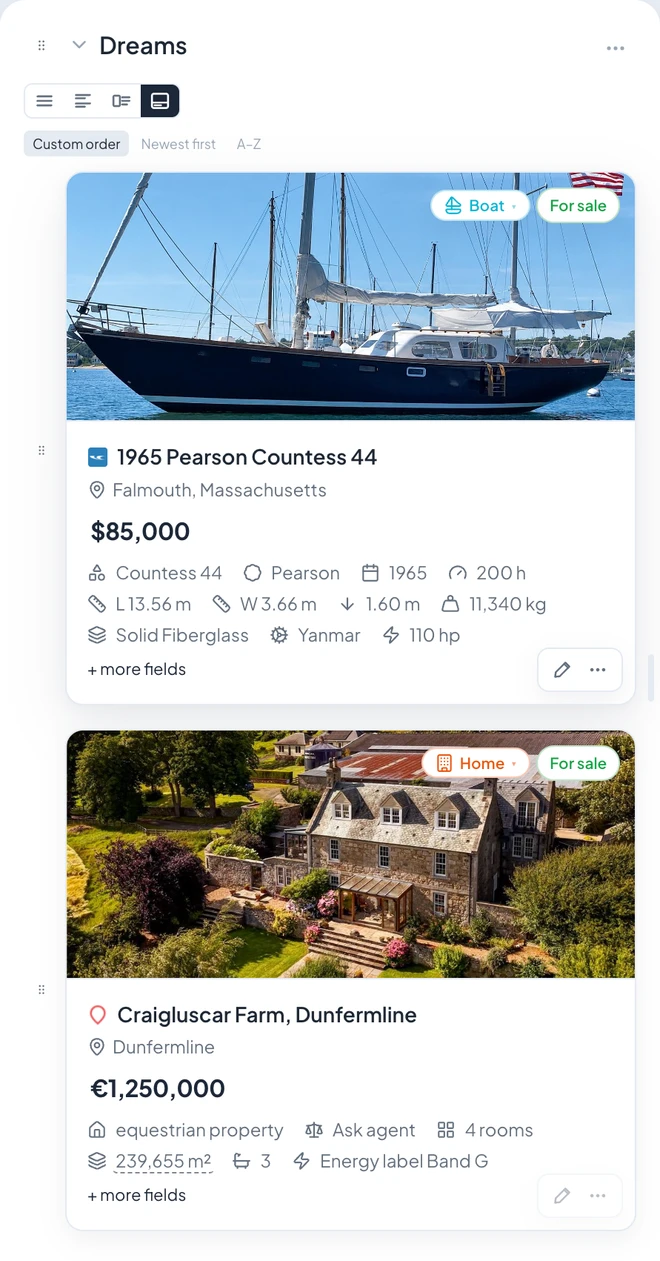
A Linkcroft widget in the Tile view: every link as a large photo tile with its saved details
Tile

Make the boat widget wide, the recipes narrow, and give the house hunt a page of its own.

You are not pushed into one way of organising. One page can carry the boat, the recipes, the shopping list for the bedroom and your everyday links at the same time, each in its own widget and each the size you give it: drag one wider, make another narrow or tall, or move it to a different column.

A subject that grows too big can have a page to itself. Starting a travel page? Add one location widget and it puts the local time, the weather and the currency of that place at the top, with your flights, hotels and restaurants underneath.

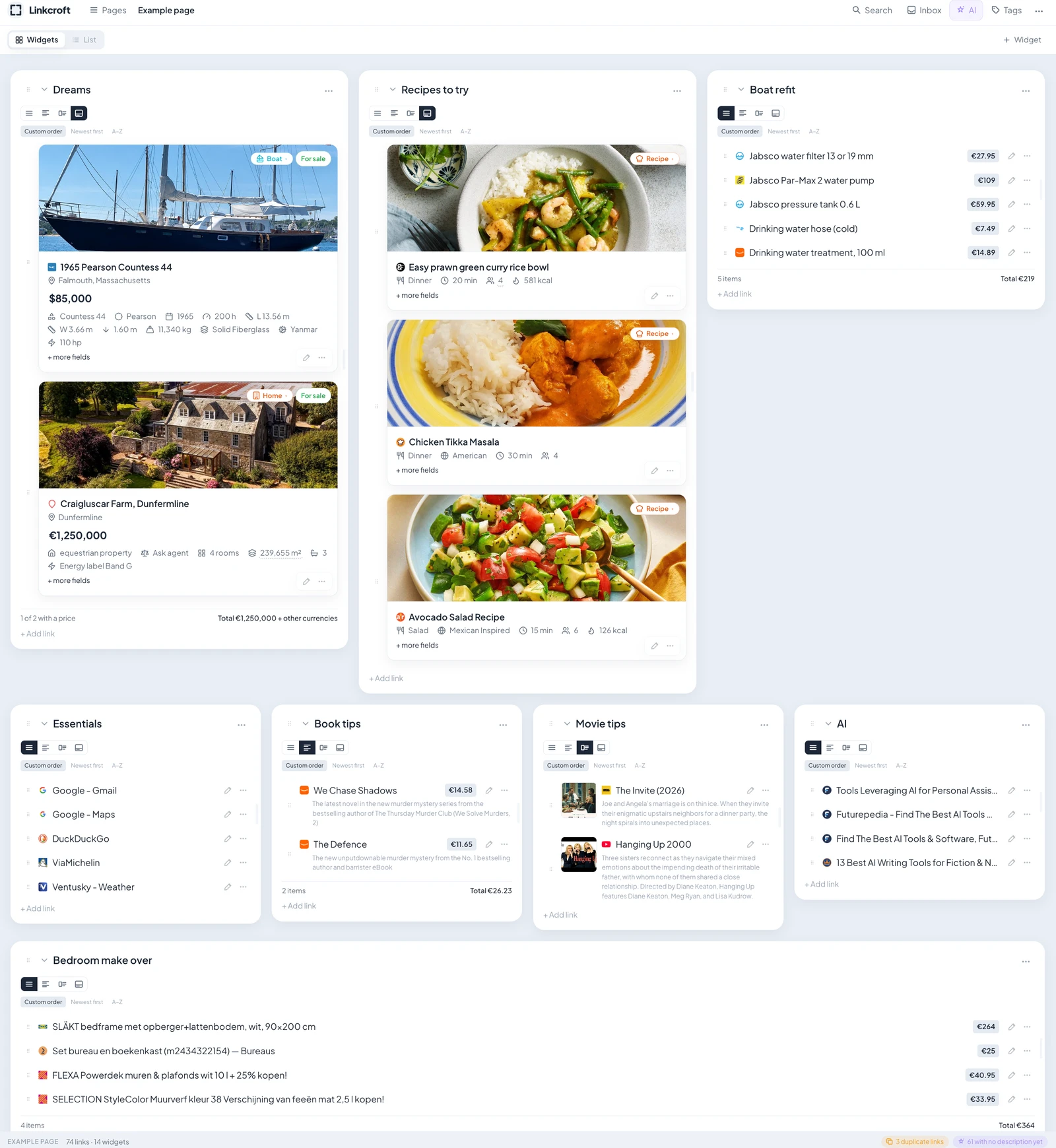
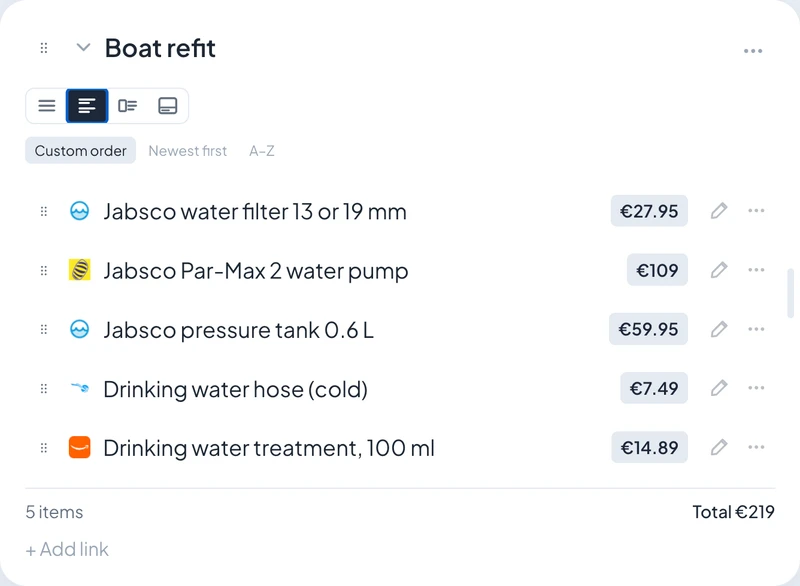
One Linkcroft start page with fourteen widgets side by side: a boat and a house as photo tiles, recipes to try, a boat refit list with a running total, everyday links, book tips, movie tips and a bedroom shopping list

Know what the dream costs: every list adds up its own prices.

Every list keeps its own running total. The parts for the boat refit, the furniture for the new bedroom, the gear for the trip, the LEGO sets on your wishlist: Linkcroft adds up the prices it saved with your links and shows the total underneath. Save one more and the total goes up with it. Only links that came in with a price are counted, and the line underneath says how many that was, so a link without an amount never disappears into the total. A price in another currency is reported separately, never turned into euros without telling you.

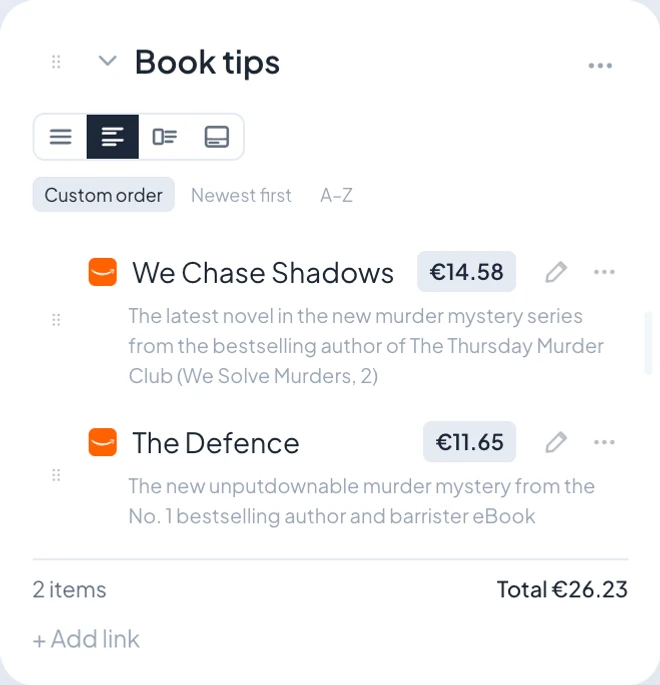
A Boat refit widget with five parts and the running total underneath: 5 items, 219 euros

Organize all your bookmarks in one go.

Switch your start page to the list view and every bookmark you saved becomes a row in a plain table: title, web address, widget, note, tags and the date you added it.

Sort the table, tick the bookmarks you mean, and move them, tag them, refresh their details or delete them, all at once.

MoveAdd tagsGet detailsDelete

Find any bookmark again, even if you remember just one word from the page.

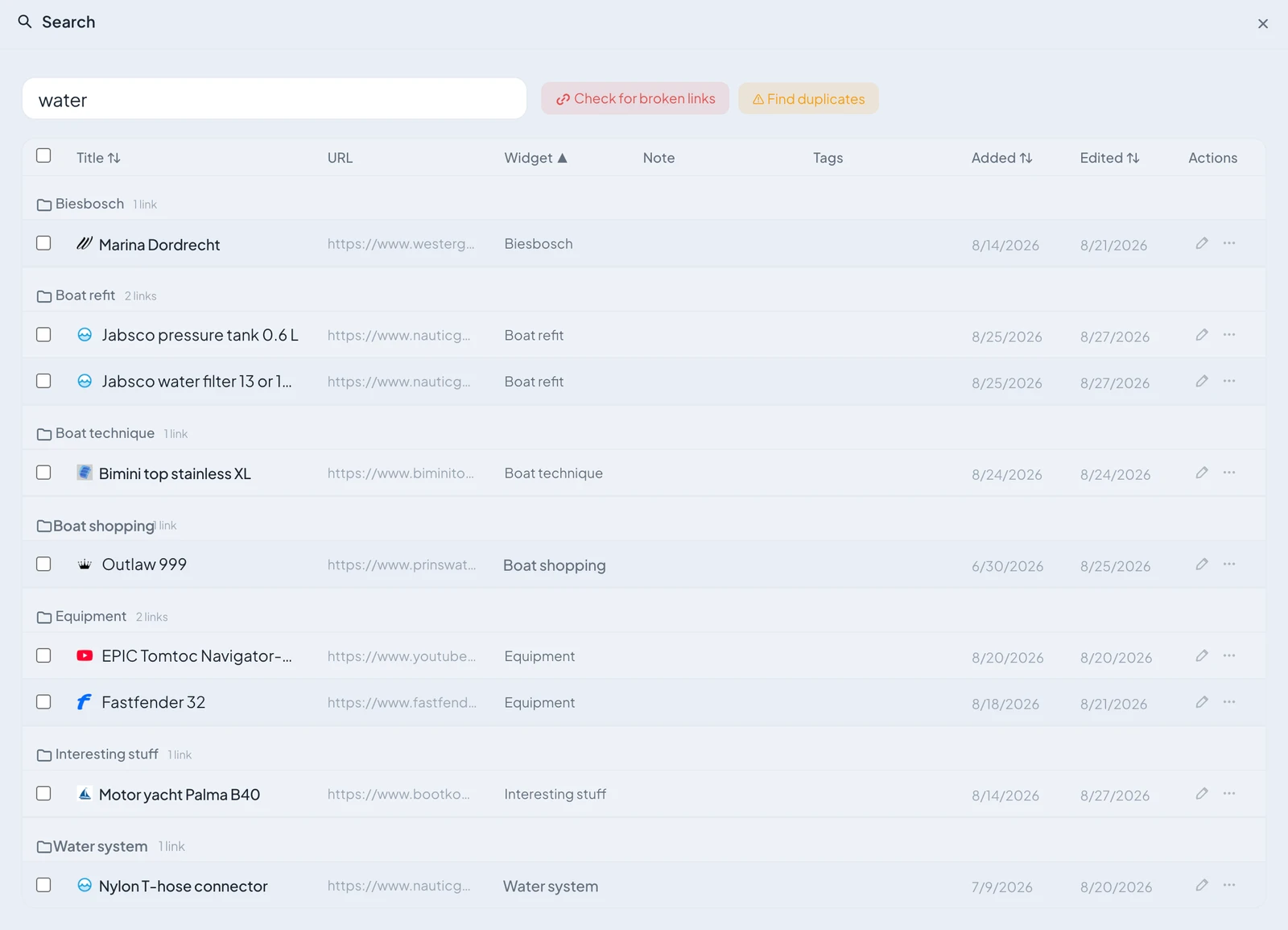
Linkcroft searches every bookmark you ever saved: the title, the web address, your own note, even the text on the page itself.

One search box covers all your pages and all your widgets, so you never have to remember where you put a link.

The Linkcroft search panel: the query 'water' with results grouped per widget

Clean up your bookmarks: dead links gone, duplicates gone, titles you can read.

Bookmarks that have been piling up for a year are full of listings that no longer exist, links you saved twice without noticing and titles the site never meant you to read.

Linkcroft finds all three for you, so cleaning up is quick work.

Check for broken links

Houses get sold and job listings close. One click checks every bookmark you have and marks each link that no longer opens.

2 broken links
Find duplicates

Saved the same car twice, months apart? Linkcroft puts the two links side by side, and you decide which one goes.

3 duplicate links
Tidy up the titles

Websites clutter a page title: an unread counter like “(2)” in front, the name of the site like “ - YouTube” at the end. Linkcroft removes both and keeps the title itself.

9 titles tidied

Linkcroft sorts and describes every new link for you. One click overrules it, one switch turns it off.

You save a link and walk away. By the time you look, AI has picked the widget it belongs in, and under the title there is one line that says what the page is about.

Both are clearly marked as Linkcroft’s work, both take one click to change, and one switch in your account stops them happening by themselves.

The right list, picked for you

Linkcroft picks the widget a new link belongs in and tells you why. Confirm it, or pick another widget yourself.

One line that says what the page is about

Under every title there is one sentence about the page. Where the site wrote one itself, you get that sentence, word for word. Where it did not, AI writes a short one, and it is marked as written by AI.

Switch it off whenever you like

One switch in your account stops Linkcroft sorting and describing links by itself. The buttons stay, so you can still ask for a suggestion or a description whenever you want one.

Pages from your bank, your webmail and government sites never reach the AI.

Nothing you save is used to train anyone’s AI models.

Correct a detail once and Linkcroft never overwrites it.

Fix a price, fix a year, add the note only you would write. From then on that detail is yours.

It is left alone, also when the page is fetched again and also when Linkcroft gets better at finding details on that site.

Save any page in one clickSaves the details, not just the linkIn English and DutchNo trackers, no ads, no data sold
Privacy by design

What you save is nobody else’s business.

A bookmark manager lives in your browser, where it could see every page you visit.

Linkcroft looks at a page only when you save it. Here is exactly what it sees and what it never sees.

What Linkcroft sees, and what it never sees

  • Linkcroft never reads your bank, your webmail or your work files. Save a link to a banking, webmail, government or work site — Microsoft 365, SharePoint, OneDrive and Teams among them — and Linkcroft keeps the web address and the title, and not one word of what is on the page. On an ordinary site Linkcroft skips the pages where you sign in, check your account or pay: it recognises those by their web address and does not read them either. Nothing from any of them reaches the AI.
  • The extension does not watch you browse. It reads a page at the moment you press save, and only then. Where you go the rest of the day is none of its business.
  • Nobody learns what you save. The icons and photos on your links come from our own servers, so Google never sees which sites you keep, and a webshop never sees that you are looking at its sofa again.
  • A shared file stays shared with the people you meant. Some links to a shared file on SharePoint, Google Drive or Dropbox contain a secret key: whoever has the link can open the file. When you save one, Linkcroft warns you once and asks whether that key should be stored at all. We read the privacy statements and the terms of fourteen other bookmark tools. Not one of them mentions this.
  • Nothing gets clicked on your behalf. To fetch the details of a link, or to check that it still works, Linkcroft has to open it. A link that would unsubscribe you, confirm a sign-up or sign you in is recognised and left alone.
  • You can delete everything you saved. Delete a link, or the whole account, and it is gone.
  • You can disconnect a browser. On a shared or borrowed computer, one button in the extension wipes the key from that browser and makes it invalid at Linkcroft. Your links stay where they are, and connecting again is one click.
Read the privacy statement

Linkcroft works where you already browse.

  • The Chrome extension. One click from Chrome, Edge, Brave, Opera, Vivaldi or Arc.
  • Apps for iPhone and Android — coming soon. We are building them now, so saving a page will be one tap from any app on your phone.
  • In English and Dutch. Linkcroft speaks both, and you can switch whenever you like.

Start with the project you keep meaning to organise.

The house hunt. The trip. The boat refit. The recipes. The collection. Add the extension to Chrome, save its first page, and a minute later it is on your start page with every detail that page had.

Linkcroft is free while we are building it; paid plans come later, and you will hear about them from us first.

Add Linkcroft to Chrome Create a free account

No credit card. No trackers. Your bookmarks are shared with nobody.

Saving your first page takes one click, and Linkcroft is free while we’re building it.

Add Linkcroft to Chrome